01
Districts
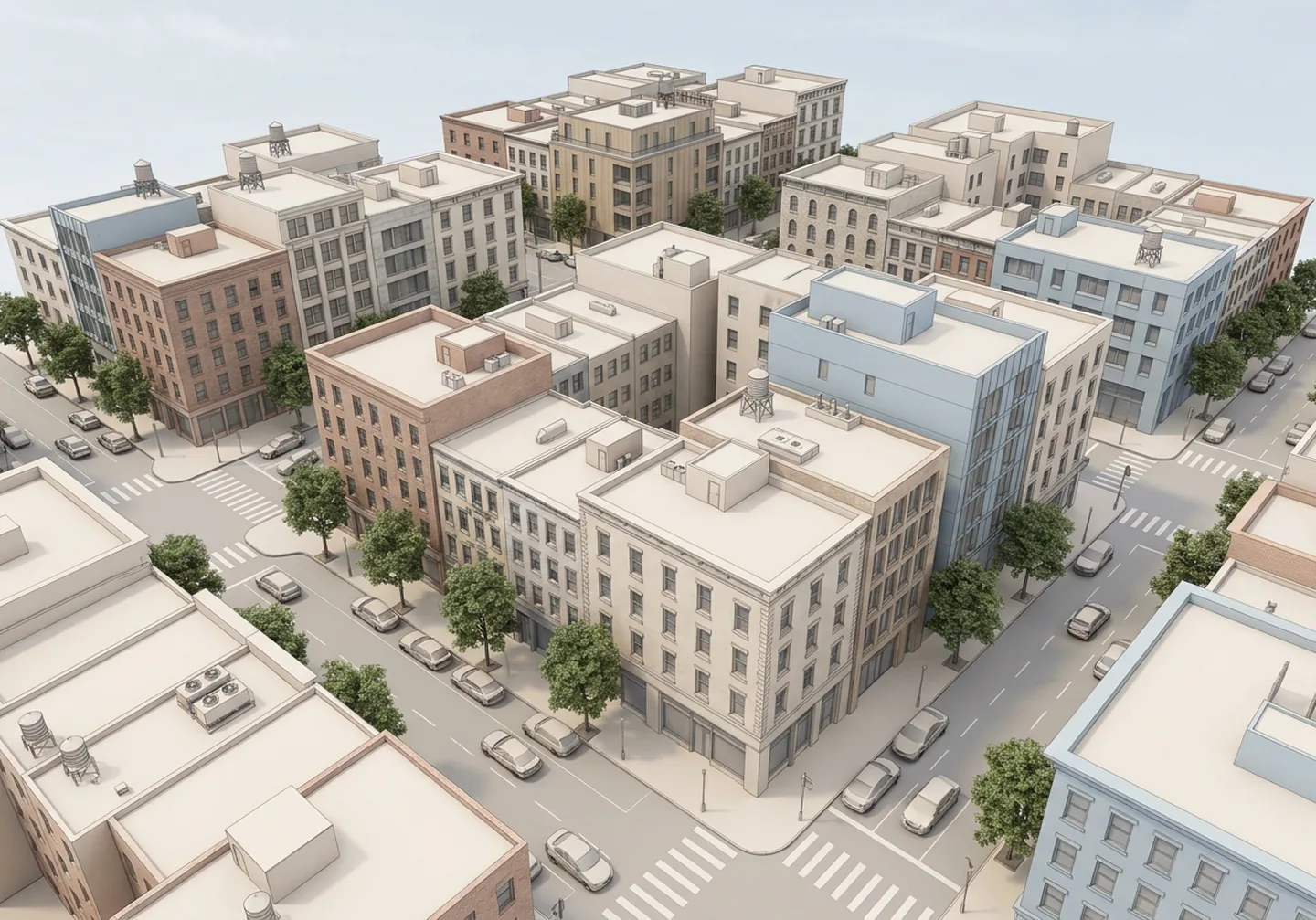
Shape streets, blocks and skyline. Start from a real area or invent a setting with its own density and architectural voice.
Build 3D districts, buildings
and interiors you can edit.
Start from a real address, a reference image or a written brief. One model keeps the streets, the floors and the rooms connected.
Interactive preview
Follow the blocks and the facades, then pick a building and step in.
Check the floors, the rooms and the routes that join them.
Furniture, materials and objects that behave like the things they stand for.
WHAT YOU CAN BUILD
Work across districts, buildings and rooms in one editable model. Set the character of a neighbourhood, develop a single building, or work through the details of one room.
Shape streets, blocks and skyline. Start from a real area or invent a setting with its own density and architectural voice.
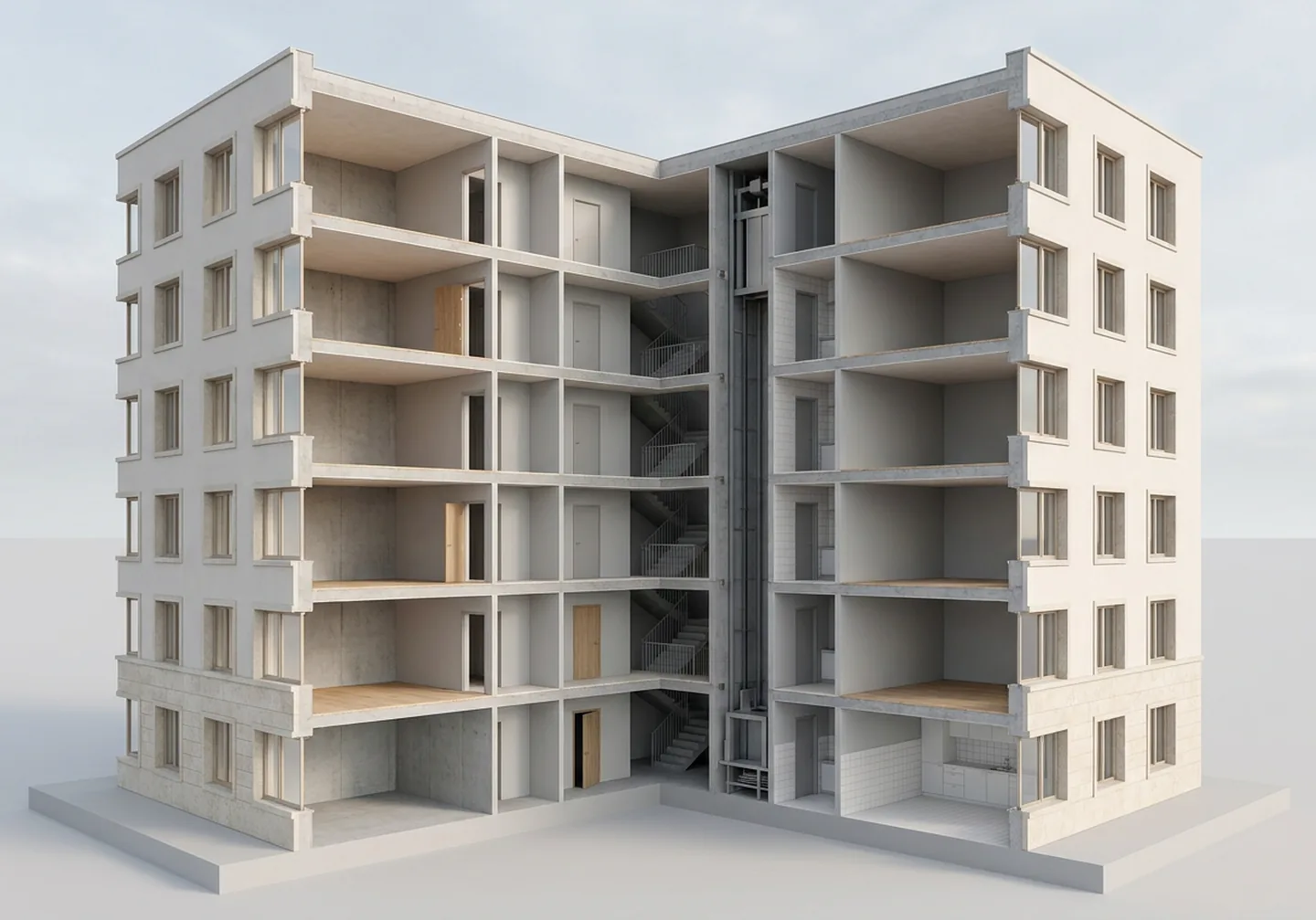
Work on facades, materials, roofs and entrances. Try directions while the building stays part of its surroundings.
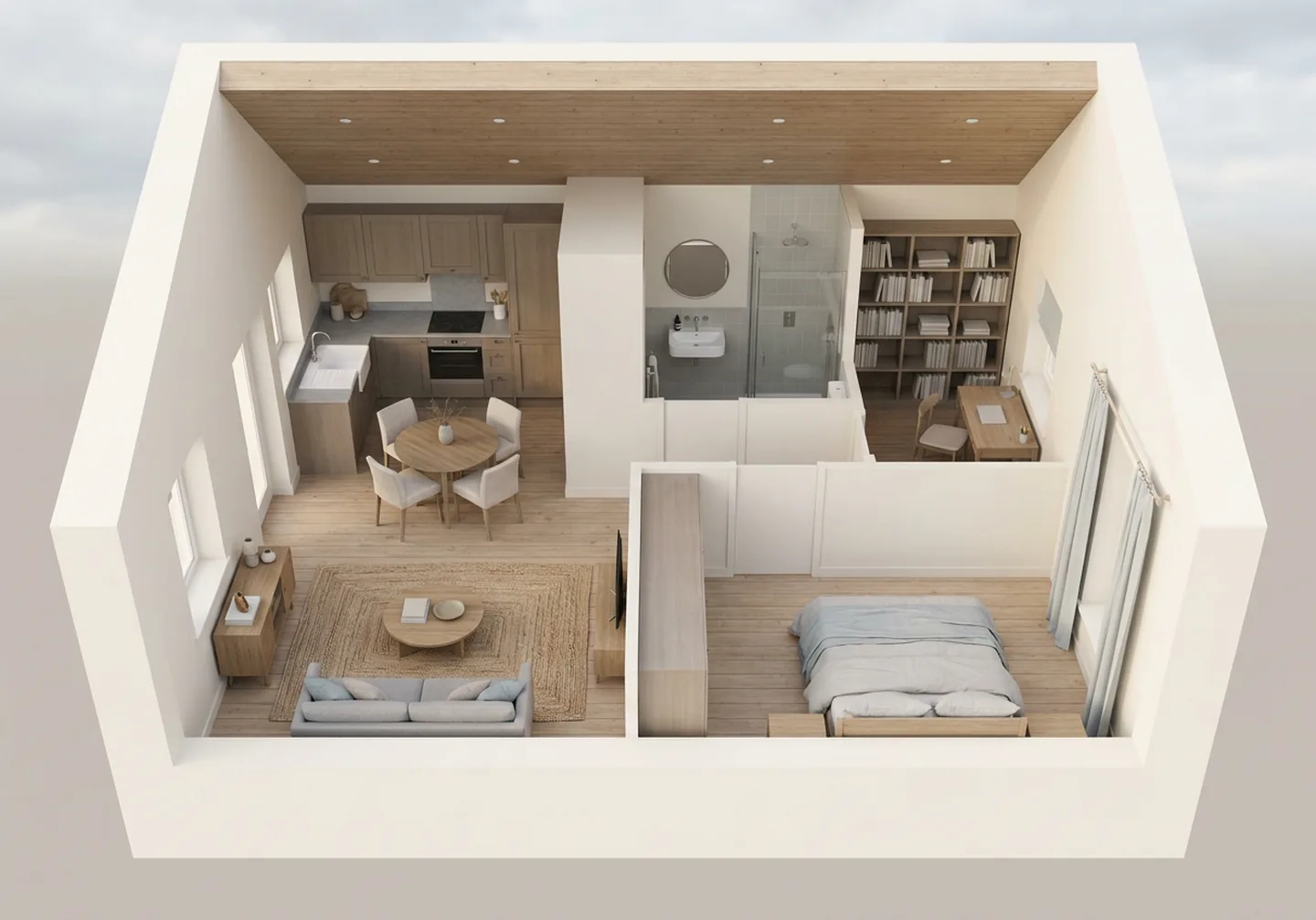
Lay out floors, rooms and circulation. Bring in furniture and finishes that keep their identity.
BUILT TO BE INHABITED
A chair belongs to a room. A door joins two spaces. Perplace keeps those relations next to the geometry, so your design tool, game or simulator can read them.
living/armchair-2Read from the world model. Each field is a fact an agent can query, or a change you can ask for. Ask for “sit on the armchair in the living room” and the place, the object and its use are already there.
ROOM VIEWER · LIVE
Not a render: a real three.js room you can orbit. Click any object to read its record, and drive the door and the window — the control moves the same transform the record describes.
Starting the room viewer…
Nine authored objects, each with an axis, a range and a current value wherever it moves. Open the full demo for the district around it.
YOUR WORKFLOW
Steer the result from the overall setting down to the details your project actually cares about.
Choose an area, bring references or describe something new. Set the scale and what the place is for.
Define the architectural character, the building types and the rooms your project needs.
Explore the result in 3D. Move from the street to the building to the rooms inside.
Rework a facade, move a wall or swap a material. Work on the part you selected.
Buildings, floors, rooms and objects stay part of one structured model.
Bring the scene and its spatial data into your design, game or simulation.
SAME BUILDING, NEW DIRECTIONS
Try a different facade, material or architectural character on the same building. Compare directions in context while the design moves.
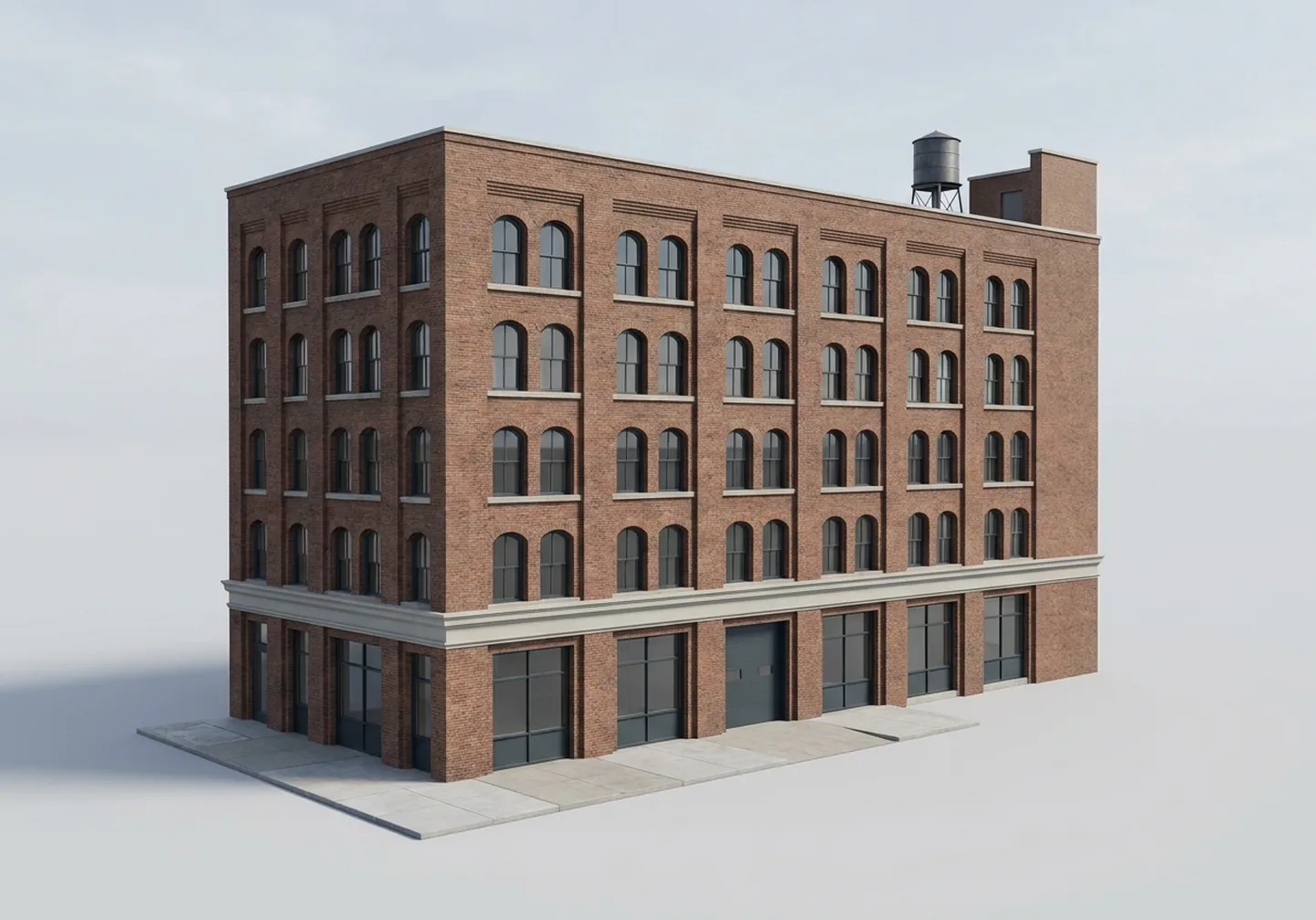
Kept: the massing, the six bays, the height and the water tank. Changed: brick, paired arched windows and stone sills.
Only the part you selected changes. Everything around it stays exactly as it is: the neighbouring buildings, the streets, the objects and the materials you did not touch.
BUILT FOR YOUR WORK
Study urban contexts, building forms and spatial layouts. Compare directions from the block down to the floor plan.
Develop rooms, circulation, materials and furnishing together, and review a space in the context of the building around it.
Build homes, workplaces and streets for characters to inhabit. Connected rooms and usable objects give their routines somewhere to happen.
Build spatial scenarios with named places, connected rooms and usable objects. Hand your agents a world they can navigate and interpret.
TAKE IT WITH YOU
Your project gets the visible world and the relations inside it. Buildings, rooms, doors and objects keep their identity past the render. Pick the format your pipeline already reads.
glTF / GLB3D scenes
USDScene exchange
JSONStructured world data
Simulation gridsSpatial environments
HOW IT IS BUILT
Perplace pairs AI design, procedural construction and visual review. Your brief steers the result; geometry and spatial checks keep the parts connected.
References and instructions set the architectural direction.
Procedural tools construct the geometry and the spatial relations.
Visual checks compare the result with the brief and send it back for another pass.
↶ Automated cycle: design → build → review → refine
Fix the parts that need attention while the rest of the design stays in view.
PRIVATE BETA
Bring a real project to the private beta. Every pilot starts from a defined place, a use case and the output your pipeline needs. Pilots are paid, priced per project, and the first clients keep founder terms.
A world built from your area, your references or your brief. The data model, the exports and the viewer — plus a direct line to the people building it.
Describe the place, what it is for and the tools you use. Projects are picked by fit, and scope and delivery are agreed before the pilot starts.
A real use case, honest feedback and patience with rough edges. Projects that can be shown publicly are welcome, never required.
$PERPLACE
$PERPLACE is planned as the project's own token on Solana, and the creator fees it earns go back into the work: compute for world generation, hosting, and the world-model research behind the scenes.
The creator fee the token earns on every trade — nothing else has to be sold to keep the project running.
Generation compute, GPU time, hosting, and the documentation and tooling that make the world model usable.
No presale, no allocation to a fund. The wallet that receives the fees is the project's own, and its address is published here.
Pre-launch. The address will be published on this page first — before anywhere else.
Coming soon
Until an address appears above, there is no $PERPLACE. Any contract posted elsewhere before this page shows one is not ours.
A token is a token. Nothing on this page is investment advice, creator fees are not a promise of returns, and using $PERPLACE is never required to use Perplace — the beta runs on the request form.
QUESTIONS
Editable 3D districts, buildings and interiors. Start from an area, a reference image or a written brief, then develop the streets, the architecture and the rooms inside. A pilot can focus on a single room as easily as on a whole block.
Anything that reads glTF or USD: Blender, Unreal Engine, Unity, Godot, Houdini, Omniverse, three.js. The world model also ships as plain JSON your own code reads directly. Materials are named, so you map them to your own library.
Both. Start from a real area — streets, footprints and heights come from open data — or describe somewhere that does not exist. Interiors are always generated, so rooms and objects are never a copy of a real home or office.
Yes. An address or a bounding box, reference images, a written brief. Those references set the direction, and the visual review checks the result against them. You can then ask for local changes without rebuilding the rest.
No. Design teams can study urban contexts, buildings and interiors; game teams can build environments; simulation teams can work with connected spaces and structured data. A pilot is scoped around your project and your pipeline.
Describe what you want to build and add references if you have them. Perplace is in private beta, so the form sends a request to the team. Fit, scope and delivery are agreed before a pilot begins.
$PERPLACE is planned and not launched: there is no contract address yet and nothing to buy. When it launches, the address appears on this page first. The creator fees it earns are used to fund the project — generation compute, hosting and the world-model work.
No, and that will not change. The token funds the build; it does not gate the product. Early access runs on the request form.
YOUR NEXT PROJECT
A district for a game. A building to explore. A room to work through. Bring the place, the references and what you need to do with the result.
Private beta · every request is read and answered
Creá distritos, edificios
e interiores editables.
Empezá con una dirección real, una imagen de referencia o un brief escrito. Un solo modelo mantiene conectadas las calles, los pisos y las habitaciones.
Vista interactiva
Seguí las manzanas y las fachadas, elegí un edificio y entrá.
Revisá los pisos, las habitaciones y los recorridos que las unen.
Muebles, materiales y objetos que se comportan como lo que representan.
QUÉ PODÉS CREAR
Trabajá distritos, edificios y habitaciones en un mismo modelo editable. Definí el carácter de un barrio, desarrollá un edificio o resolvé los detalles de una habitación.
Formá calles, manzanas y skyline. Empezá con un área real o inventá un lugar con su propia densidad y su propia voz arquitectónica.
Trabajá fachadas, materiales, cubiertas y accesos. Probá direcciones sin que el edificio deje de pertenecer a su entorno.
Organizá pisos, habitaciones y circulación. Sumá muebles y terminaciones que mantienen su identidad.
HECHO PARA HABITARSE
Un sillón pertenece a un ambiente. Una puerta une dos espacios. Perplace guarda esas relaciones junto a la geometría, para que tu herramienta, tu juego o tu simulación puedan leerlas.
living/sillon-2Se lee del modelo del mundo. Cada campo es un hecho que un agente puede consultar o un cambio que le podés pedir. Pedí “sentate en el sillón del living” y el lugar, el objeto y su uso ya están ahí.
VISOR DE AMBIENTE · EN VIVO
No es un render: es un ambiente real de three.js que podés orbitar. Hacé click en cualquier objeto para leer su ficha, y movés la puerta y la ventana — el control mueve la misma transformación que describe la ficha.
Iniciando el visor de ambiente…
Nueve objetos autorados, cada uno con eje, rango y valor actual donde se mueve. Abrí la demo completa para el distrito alrededor.
TU FLUJO DE TRABAJO
Dirigí el resultado desde el conjunto hasta los detalles que le importan a tu proyecto.
Elegí un área, sumá referencias o describí algo nuevo. Definí la escala y para qué sirve el lugar.
Definí el carácter arquitectónico, los tipos de edificio y los ambientes que necesita tu proyecto.
Explorá el resultado en 3D. Pasá de la calle al edificio y de ahí a las habitaciones.
Rehacé una fachada, mové una pared o cambiá un material. Trabajá sobre la parte que seleccionaste.
Edificios, pisos, habitaciones y objetos siguen siendo parte de un mismo modelo estructurado.
Sumá la escena y sus datos espaciales a tu diseño, tu juego o tu simulación.
EL MISMO EDIFICIO, OTRAS DIRECCIONES
Probá otra fachada, otro material u otro carácter arquitectónico en el mismo edificio. Compará direcciones en contexto mientras el diseño avanza.
Se mantiene: la volumetría, los seis módulos, la altura y el tanque de agua. Cambia: ladrillo, ventanas en arco apareadas y alféizares de piedra.
Solo cambia la parte que seleccionaste. Todo lo que está alrededor queda igual: los edificios vecinos, las calles, los objetos y los materiales que no tocaste.
HECHO PARA TU TRABAJO
Estudiá contextos urbanos, formas edificatorias y organizaciones espaciales. Compará direcciones desde la manzana hasta la planta.
Desarrollá ambientes, circulación, materiales y equipamiento en conjunto, y revisá un espacio en el contexto del edificio que lo contiene.
Construí casas, lugares de trabajo y calles para que los personajes los habiten. Ambientes conectados y objetos usables le dan un lugar a sus rutinas.
Armá escenarios espaciales con lugares con nombre, ambientes conectados y objetos usables. Dale a tus agentes un mundo que puedan recorrer e interpretar.
LLEVALO CON VOS
Tu proyecto recibe el mundo visible y las relaciones que hay adentro. Edificios, habitaciones, puertas y objetos mantienen su identidad más allá del render. Elegí el formato que tu pipeline ya lee.
glTF / GLBEscenas 3D
USDIntercambio de escena
JSONDatos estructurados del mundo
Grillas de simulaciónEntornos espaciales
CÓMO ESTÁ HECHO
Perplace combina diseño con IA, construcción procedural y revisión visual. Tu brief guía el resultado; la geometría y los chequeos espaciales mantienen las partes conectadas.
Las referencias y las instrucciones marcan la dirección arquitectónica.
Las herramientas procedurales arman la geometría y las relaciones espaciales.
Los chequeos visuales comparan el resultado con el brief y lo devuelven a otra vuelta.
↶ Ciclo automático: diseñar → construir → revisar → ajustar
Ajustá las partes que lo necesitan sin perder de vista el resto del diseño.
BETA PRIVADA
Traé un proyecto real a la beta privada. Cada piloto arranca con un lugar definido, un caso de uso y los archivos que necesita tu pipeline. Los pilotos son pagos, con precio por proyecto, y los primeros clientes conservan condiciones de fundador.
Un mundo creado a partir de tu área, tus referencias o tu brief. El modelo de datos, las exportaciones y el visor, más contacto directo con quienes lo construyen.
Contá el lugar, para qué lo necesitás y con qué herramientas trabajás. Los proyectos se eligen por afinidad y el alcance se acuerda antes de empezar.
Un caso de uso real, comentarios honestos y paciencia con una herramienta en desarrollo. Mostrar el proyecto públicamente es opcional.
$PERPLACE
$PERPLACE está pensado como el token propio del proyecto en Solana, y las comisiones de creador que genera vuelven al trabajo: cómputo para generar mundos, hosting y la investigación del modelo de mundo que hay detrás.
La comisión de creador que el token genera en cada operación: no hace falta vender nada más para sostener el proyecto.
Cómputo de generación, tiempo de GPU, hosting, y la documentación y las herramientas que hacen usable el modelo de mundo.
Sin preventa ni asignación a un fondo. La billetera que recibe las comisiones es la del proyecto, y su dirección se publica acá.
Antes del lanzamiento. La dirección se publica primero en esta página, antes que en cualquier otro lado.
Muy pronto
Mientras no aparezca una dirección arriba, no existe $PERPLACE. Cualquier contrato publicado en otro lado antes que esta página no es nuestro.
Un token es un token. Nada en esta página es consejo de inversión, las comisiones de creador no son una promesa de rendimiento, y usar $PERPLACE nunca va a ser obligatorio para usar Perplace: la beta funciona con el formulario.
PREGUNTAS
Distritos, edificios e interiores 3D editables. Empezá con un área, una imagen de referencia o un brief escrito, y desarrollá las calles, la arquitectura y los ambientes de adentro. Un piloto puede concentrarse en una sola habitación o en toda una manzana.
Con cualquiera que lea glTF o USD: Blender, Unreal Engine, Unity, Godot, Houdini, Omniverse, three.js. El modelo del mundo también se entrega como JSON plano, que tu propio código puede leer. Los materiales van con nombre para que los mapees a tu biblioteca.
Ambos. Podés partir de un área real —calles, huellas y alturas tomadas de datos abiertos— o describir un lugar que no existe. Los interiores siempre se generan, así que nunca son copia de una casa u oficina real.
Sí. Una dirección o un polígono, imágenes de referencia, un brief escrito. Esas referencias marcan la dirección y la revisión visual controla el resultado contra ellas. Después podés pedir cambios locales sin rehacer el resto.
No. Los equipos de diseño pueden estudiar contextos urbanos, edificios e interiores; los equipos de juegos pueden armar entornos; los de simulación pueden trabajar con espacios conectados y datos estructurados. Cada piloto se arma alrededor de tu proyecto.
Describí lo que querés construir y agregá referencias si las tenés. Perplace está en beta privada, así que el formulario envía la solicitud al equipo. La afinidad, el alcance y la entrega se acuerdan antes de empezar.
$PERPLACE está planeado y todavía no se lanzó: no hay dirección de contrato ni nada para comprar. Cuando salga, la dirección aparece primero en esta página. Las comisiones de creador que genera se usan para financiar el proyecto: cómputo de generación, hosting y el trabajo del modelo de mundo.
No, y eso no va a cambiar. El token financia el proyecto; no bloquea el producto. El acceso anticipado funciona con el formulario.
TU PRÓXIMO PROYECTO
Un distrito para un juego. Un edificio para recorrer. Una habitación para resolver. Traé el lugar, las referencias y lo que necesitás hacer con el resultado.
Beta privada · leemos y respondemos cada solicitud